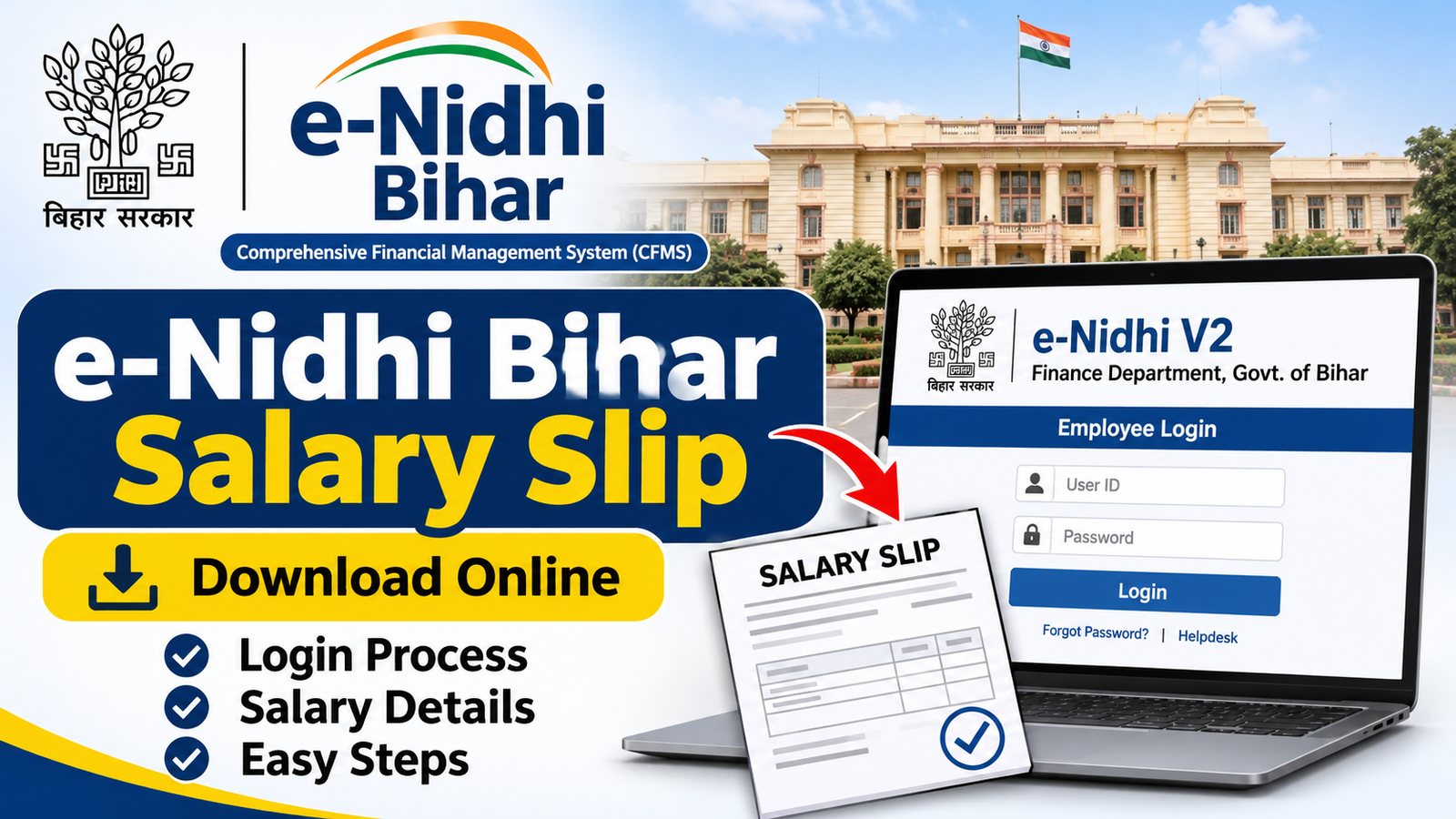
Bihar government employees can use the e-Nidhi portal to access their salary details and payment records online. The portal is part of the state’s Comprehensive Financial Management System (CFMS), which helps manage government salary payments and financial transactions.
With e-Nidhi Bihar Salary Slip 2026, eligible employees can check their monthly pay details, allowances, deductions and net salary. They can also access available previous salary records without depending on printed payslips.
In this article, we will explain how to log in to the e-Nidhi Bihar portal and download a salary slip online.
What Is e-Nidhi Bihar Portal?
e-Nidhi Bihar is an online financial management system associated with the Finance Department of the Government of Bihar. It operates under the Comprehensive Financial Management System (CFMS).
The portal helps manage government employee salary payments, pay bills and other financial records. Eligible employees can use its employee self-service facilities to access their salary statements and payment information.
| Portal Details | Information |
| Portal Name | e-Nidhi Bihar |
| System | CFMS |
| State | Bihar |
| Department | Finance Department |
| Main Purpose | Salary and financial management |
| Services | Salary Slip, Pay Details, Payment Records |
| Portal Version | e-Nidhi V2 |
e-Nidhi Bihar Salary Slip 2026
The e-Nidhi Bihar Salary Slip provides a monthly record of an employee’s earnings and deductions. It helps government employees understand how their monthly salary is calculated and how much money is payable after deductions.
Employees can access their available salary statements through the employee login facility. The salary slip can be useful for maintaining financial records, loan applications and other official purposes.
Official portal: https://e-nidhi-v2.bihar.gov.in/
Employees should always check the official website before entering their login credentials.
How to Download e-Nidhi Bihar Salary Slip Online
Bihar government employees can follow these general steps to access their salary slips through the e-Nidhi portal:
- Visit the official e-Nidhi Bihar V2 website.
- Open the employee login or Employee Self Service (ESS) section.
- Enter your registered login credentials.
- Complete the OTP verification if required.
- Open the salary statement or pay details section.
- Select the required month and financial year.
- View the available salary statement.
- Click the download option to save the salary slip in PDF format, if available.
After downloading, employees can save the PDF on their mobile phones or computers for future reference.
e-Nidhi Bihar Employee Login Process
To access personal salary information, employees need to log in using the credentials provided or activated through their department.
Follow these steps:
- Open the official e-Nidhi Bihar V2 portal.
- Find the employee login option.
- Enter your User ID or employee credentials.
- Enter your password.
- Complete the verification process, including OTP if prompted.
- Access your employee dashboard after successful authentication.
If you are a first-time user and do not have login credentials, contact your concerned department or Drawing and Disbursing Officer (DDO).
Details Mentioned on Bihar Salary Slip
A Bihar government employee salary slip generally contains important information about monthly earnings and deductions.
| Salary Details | Description |
| Employee Name | Name of the government employee |
| Employee ID | Unique employee identification |
| Department | Employee’s department |
| Designation | Official job position |
| Basic Pay | Basic monthly salary |
| Dearness Allowance (DA) | Applicable inflation-related allowance |
| House Rent Allowance (HRA) | Applicable housing allowance |
| Other Allowances | Additional eligible payments |
| Deductions | PF, NPS, tax and other recoveries |
| Net Salary | Final payable salary |
The exact components may differ according to the employee’s designation, pay structure and applicable government rules.
How to Check Bihar Employee Salary Details
Employees can check their salary information through the available employee self-service facilities on the e-Nidhi portal.
After logging in, open the relevant salary or payment statement section. Select the required month and year to view the available records.
Employees should carefully check their basic pay, allowances and deductions. If any salary information appears incorrect, they should contact their department’s accounts section or DDO for clarification.
How to Reset e-Nidhi Bihar Login Password
If you forget your e-Nidhi Bihar login password, follow these steps:
- Visit the official e-Nidhi Bihar V2 portal.
- Open the employee login page.
- Check whether the Forgot Password option is available.
- Follow the displayed password recovery instructions.
- Complete the required verification.
- Set a new password if the recovery process allows it.
If the password recovery option is unavailable or does not work, contact your department’s concerned DDO or the CFMS helpdesk for assistance.
Benefits of e-Nidhi Bihar Portal
The e-Nidhi Bihar portal offers several benefits to eligible government employees:
- Online Salary Access: Employees can check available salary statements online.
- Easy Record Keeping: Digital payslips help maintain monthly salary records.
- Time Saving: Employees can access financial information without depending on printed statements.
- Salary Transparency: Earnings and deductions can be reviewed conveniently.
- Previous Records: Available past salary statements can be accessed when required.
- Convenient Access: Employees can use the portal through supported internet-enabled devices.
Conclusion
The e-Nidhi Bihar Salary Slip portal makes it easier for eligible Bihar government employees to access their monthly salary details online. Employees can check their basic pay, allowances, deductions and net salary through the available employee login services.
By following the steps mentioned above, users can access and download their available salary statements for future reference. Always use the official e-Nidhi Bihar portal to check your salary information securely.
Also read this: IAS Officer Salary | BSF Salary | Assistant Professor Salary | Stenographer Salary
FAQs
1. What is the official website of e-Nidhi Bihar?
The e-Nidhi Bihar V2 portal is available at e-Nidhi Bihar Salary Slip.
2. How can I download e-Nidhi Bihar Salary Slip 2026?
Visit the official portal, log in using your employee credentials, open the salary statement section, select the required month and download the available payslip.
3. Who can use the e-Nidhi Bihar portal?
Eligible Bihar government employees whose salary records are managed through the CFMS system can use the relevant employee services.
4. Can I download previous months’ salary slips?
Employees can access previous salary statements if those records are available in their portal account.
5. What details are required for e-Nidhi Bihar login?
You generally need your employee login credentials and access to your registered mobile number for OTP verification, if required.
6. What should I do if my e-Nidhi Bihar login is not working?
Check your login credentials and internet connection. If the problem continues, contact your department’s DDO or the CFMS helpdesk.